Video & Audio Trimmer
Quickly trim audio waveforms or video clips and drag & drop them into your favorite editor.
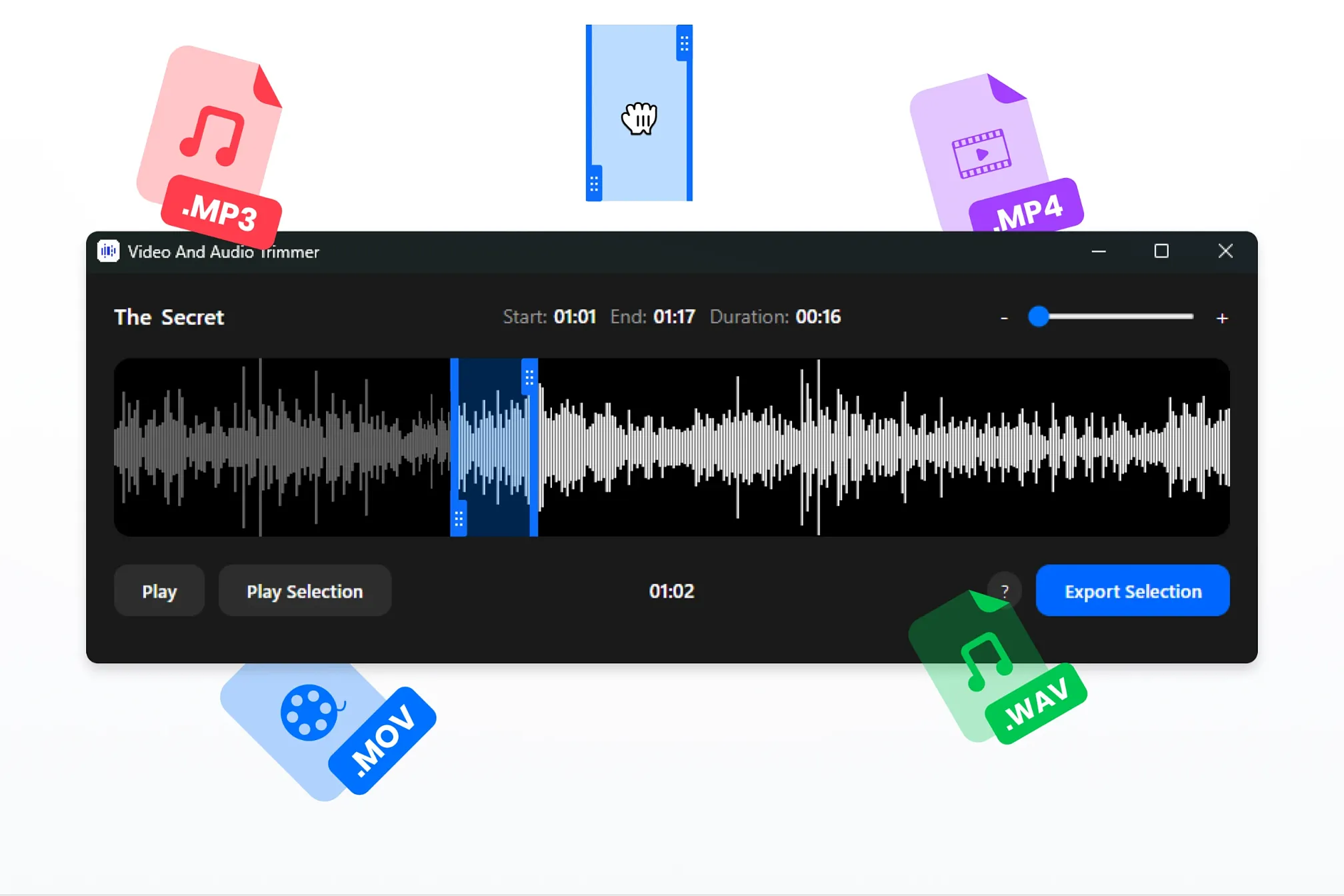
This Window plugin allows you to quickly trim videos or audio tracks using waveform view and effortlessly export them to your favorite editor.
Once you select a video and activate the plugin, a window will open displaying the content:
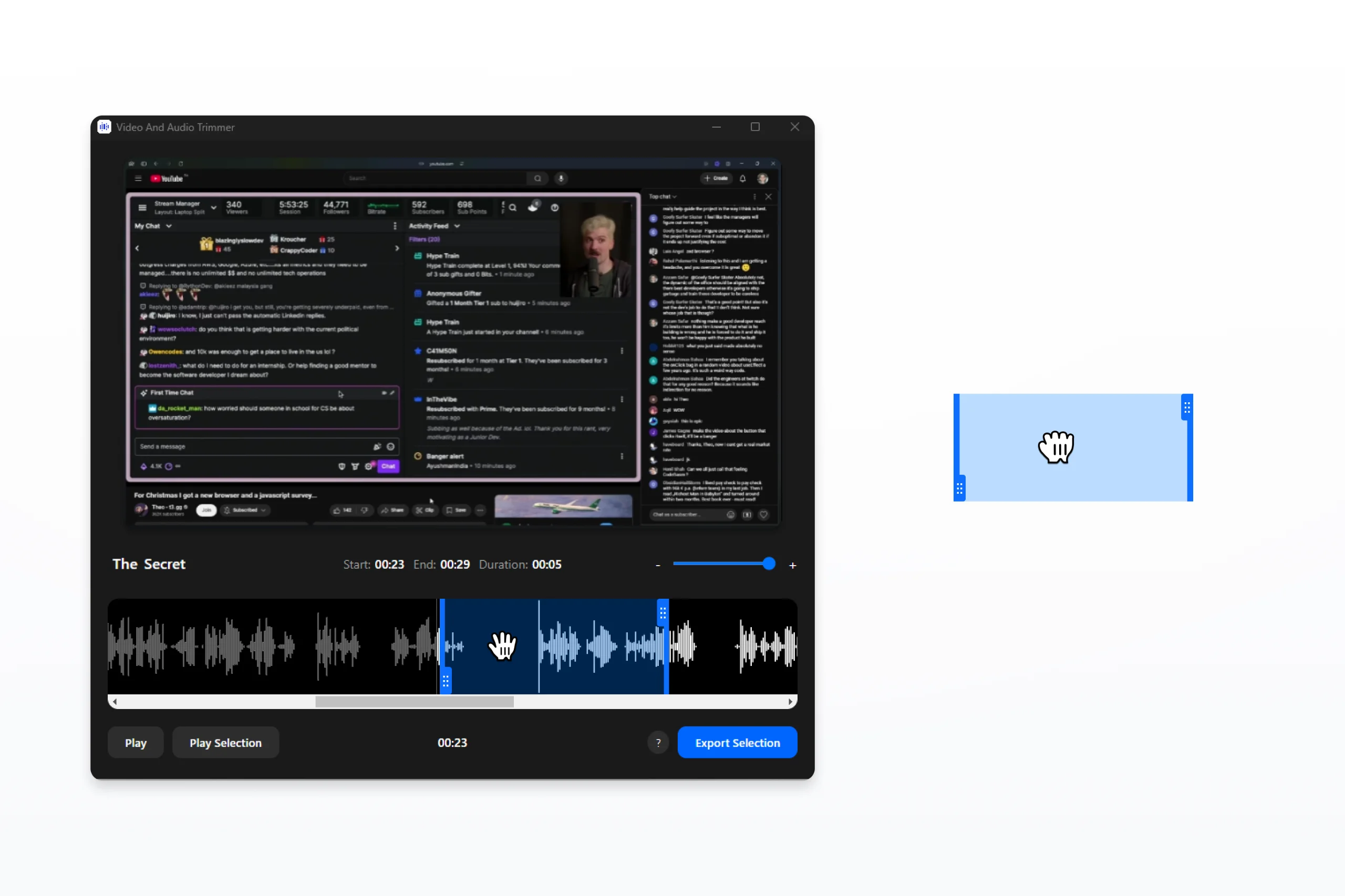
You can preview the video, choose the desired segment to export, and simply drag and drop it into any video editor. The tool also includes a zoom feature for precise waveform selection, ensuring accurate edits.
v2.0.0
2026-07-03
v2.0 — Complete Rewrite
- Multi-segment workflow: draw unlimited selections on the waveform, then drag any clip directly into your editor or export to Eagle/file in one click
- Instant load for long videos: audio is extracted in seconds before rendering the waveform, so even 1-hour files open immediately
- Performance & stability: pre-processes clips in the background so drag is always instant, and fixed a stale-clip bug that caused exports to cut the wrong moment
v1.1.0
2024-12-31
Improvements
- Draggable Track Area Adjustments: Resolved an issue where the track area could be unintentionally dragged, ensuring smoother and more precise interactions.
- Boundary Constraints for Track Dragging: Fixed an issue where dragging a track to the bottom caused it to go out of bounds, preventing unexpected scrollbar appearance.
Enhancements
- Export Progress Indicator: Added a visual progress bar during the export process, providing clear feedback on completion status.
- UI Alignment Fixes: Improved alignment during audio editing, particularly for tracks with long titles, ensuring a consistent and polished editing experience.
You may also like