Similar Images
Find visually similar images to the currently selected asset using perceptual hashing and color analysis. Classic modes work fully offline; neural mode downloads its runtime and model once, then caches them locally.
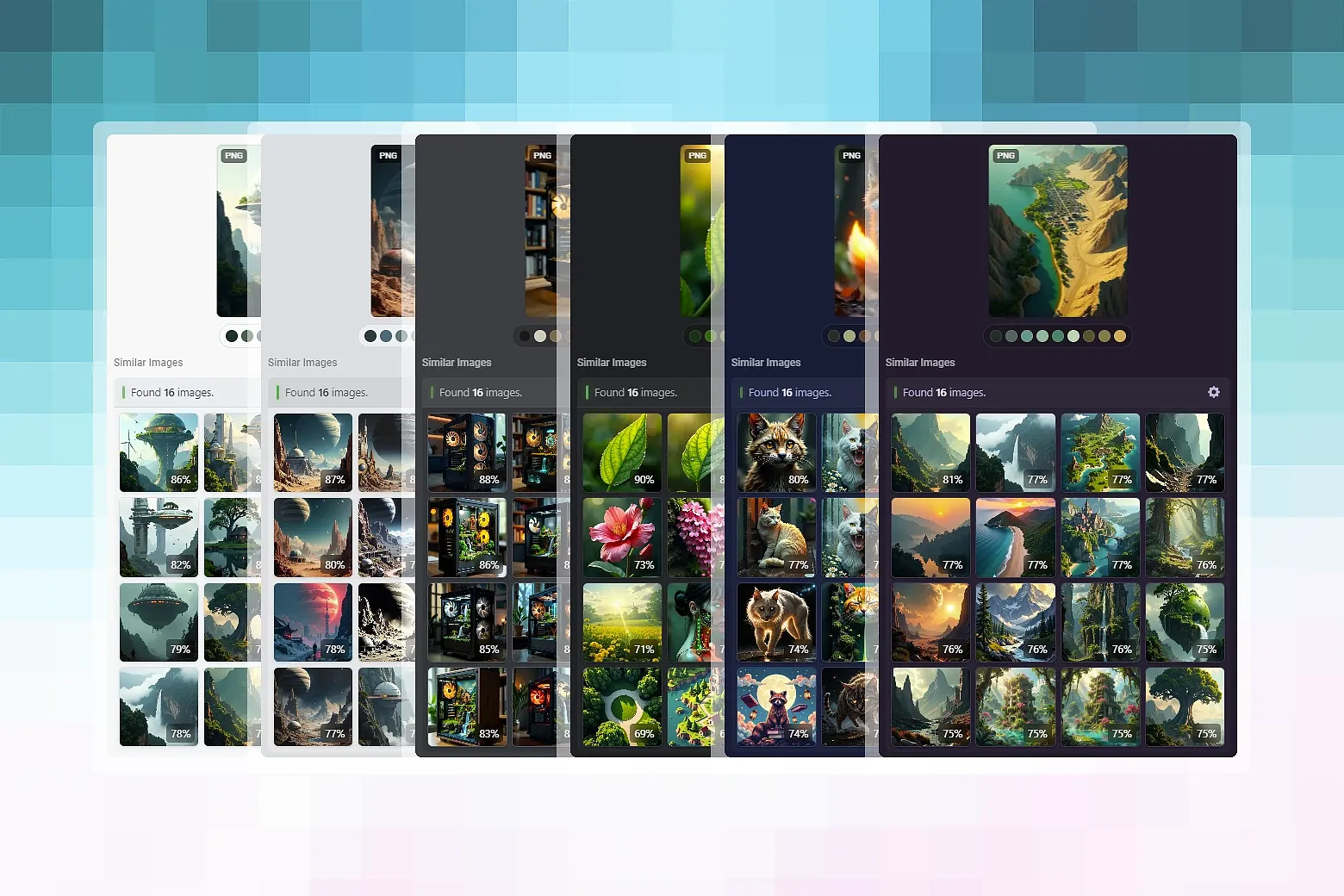
Similar Images is an Eagle inspector panel plugin. Select any image in your library and the plugin surfaces the most perceptually similar images using a choice of three algorithms - no internet connection required.
Features:
- Three similarity engines - Perceptual hash (pHash), HSV colour histogram, or a weighted blend of both
- Optional neural mode - MobileNet V2 via ONNX Runtime Web for higher-quality matches (~14 MB, downloaded on first use)
- Fully offline - pHash and colour-histogram modes require zero internet access at any time
- Two-tier cache - In-memory LRU (L1) + filesystem JSON persistence (L2) — embeddings survive Eagle restarts
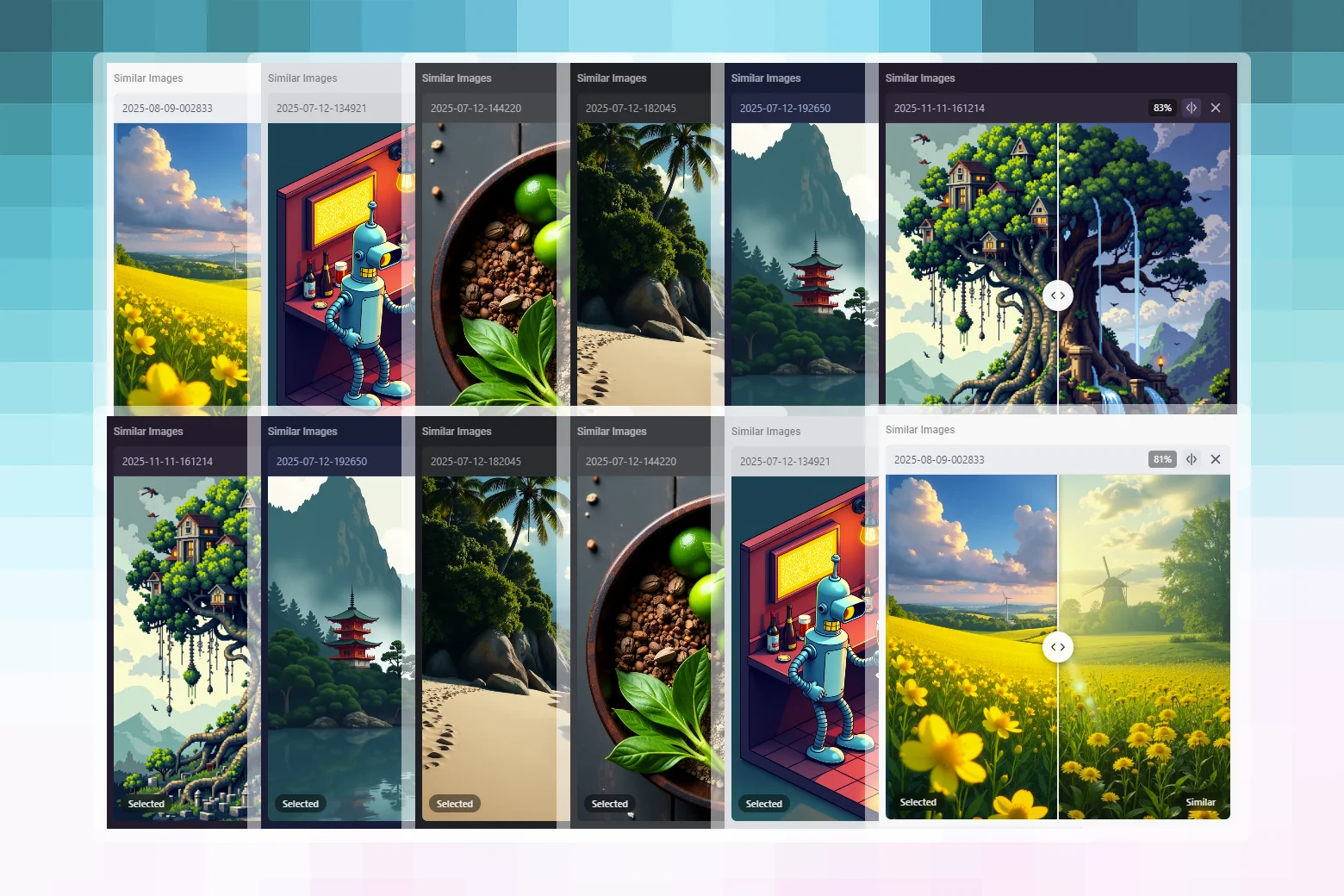
- Streaming results - Partial matches appear as scanning progresses, not all at once
- Compare slider - Drag-to-compare overlay for side-by-side inspection of selected vs. similar image
- Scroll-to-zoom preview - Mouse-wheel zoom with pan and double-click reset
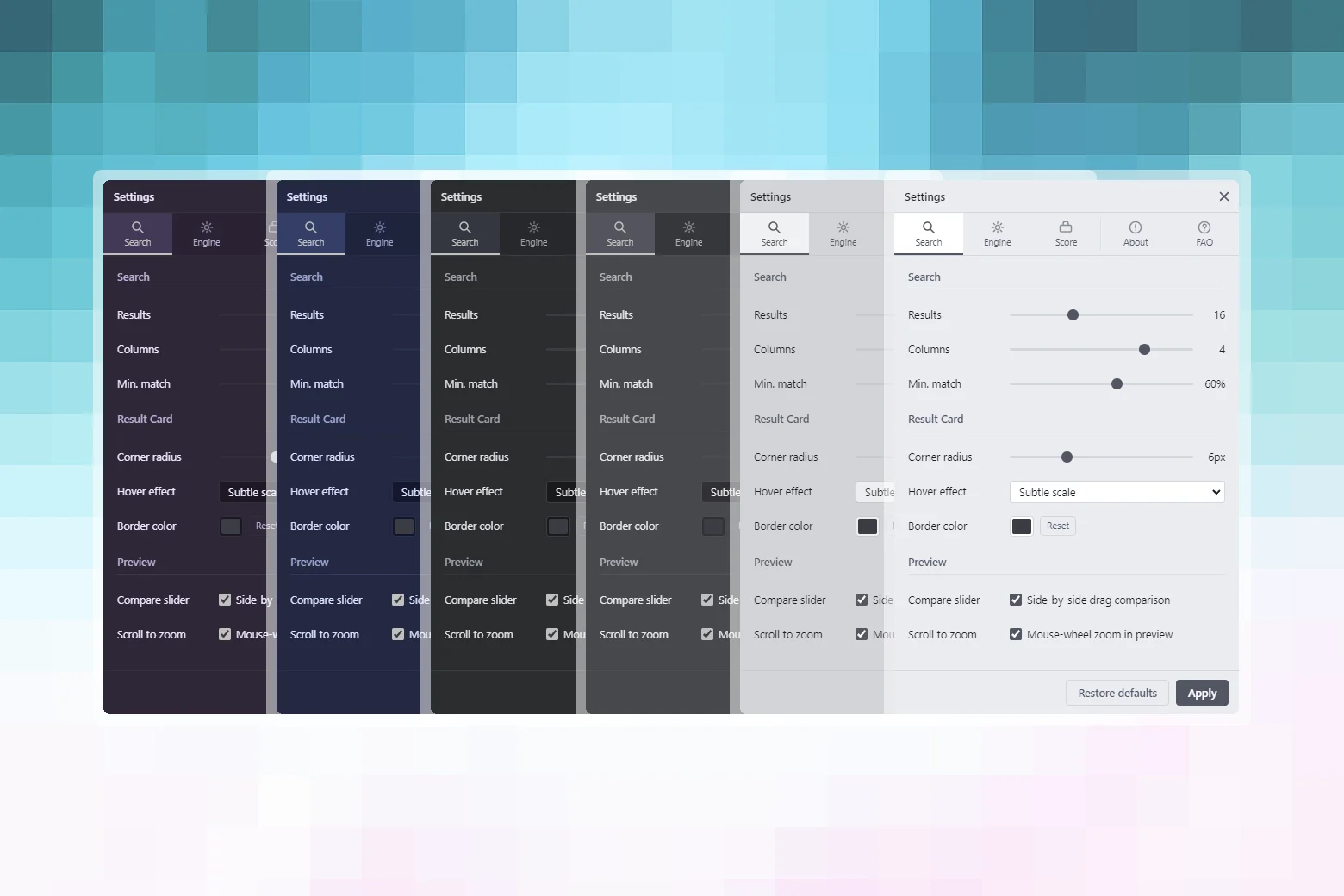
- Highly configurable - Result count, threshold, engine weights, card styling, score badge, and more
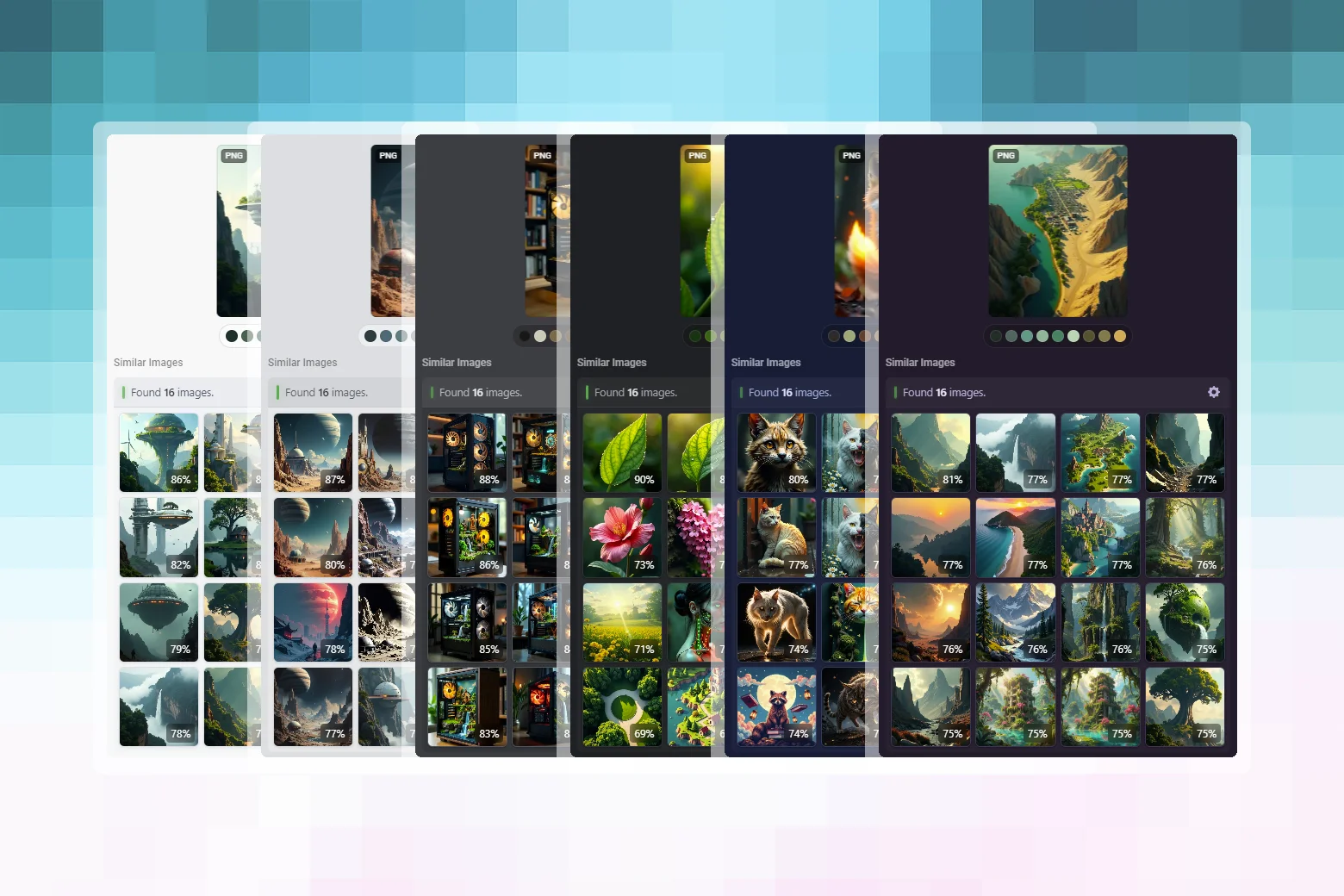
- Themeable - Adapts to all Eagle themes: Dark, Gray, LightGray, Light, Blue, Purple
- Smart cache invalidation - Edited images (changed `mtime`) are automatically re-indexed
- 8 languages - English, German, Spanish, Japanese, Korean, Russian, Simplified Chinese, Traditional Chinese
Requirements:
- Eagle - 4.0.0 or later
- Platform - macOS · Windows
- Internet - Not required (neural mode downloads model on first use only)
Usage:
- Select any supported image in your Eagle library.
- The panel appears automatically in Eagle's Inspector sidebar.
- The panel scans your library and displays matching images with similarity scores.
- Click any result card to open a full-size preview with the compare slider.
- Click ⚙ Settings in the panel header to adjust search and display options.
First run:
On first use, embeddings are computed on demand for each image as it is encountered. Subsequent searches for images already in the cache are faster. The cache persists across Eagle sessions as a JSON file inside the plugin's `cache/` directory.
Tips:
- Lower the threshold (e.g. 45–55%) to catch more loosely similar images.
- Raise the threshold (e.g. 80%+) to find near-duplicates.
- Clear cache in Settings if results seem stale after bulk edits or library moves.
- The neural model is cached locally after the first download — subsequent sessions load it from disk instantly.
Fixed settings panel to auto-adjust its content height.
Fixed a query race where older selection results could overwrite the current image.
Fixed stale-scan handling by propagating cancellation through the similarity scan pipeline.
Fixed a neural-cache issue where late lazy loads could overwrite fresh embeddings.
Fixed silent per-image scan failures by logging them and warning on high error rates.
Fixed image-load timeouts so timed-out loads are properly aborted.
Added a 30s TTL cache for eagle.item.getAll() to reduce repeated full-library fetches.
Reworked classic cache eviction to replace per-write sorting with a cheaper insertion-order strategy.
Improved result-cache reuse so threshold and count tuning can reuse broader scan results.
Reworked neural cache retention with tier-independent access tracking for better hot-entry survival.
Added SHA-256 verification for the pinned ONNX Runtime Web script before execution.
Added SHA-256 verification for the pinned MobileNet model before load or reuse.
Added cached-model revalidation to reject and re-fetch corrupted or unexpected model files.
### 1.0.0 — 2026-04-09
- Initial public release
You may also like