HDRI Format Extension
Visualize HDR and EXR environment maps directly in your Eagle library with real-time tone mapping and interactive 3D preview.
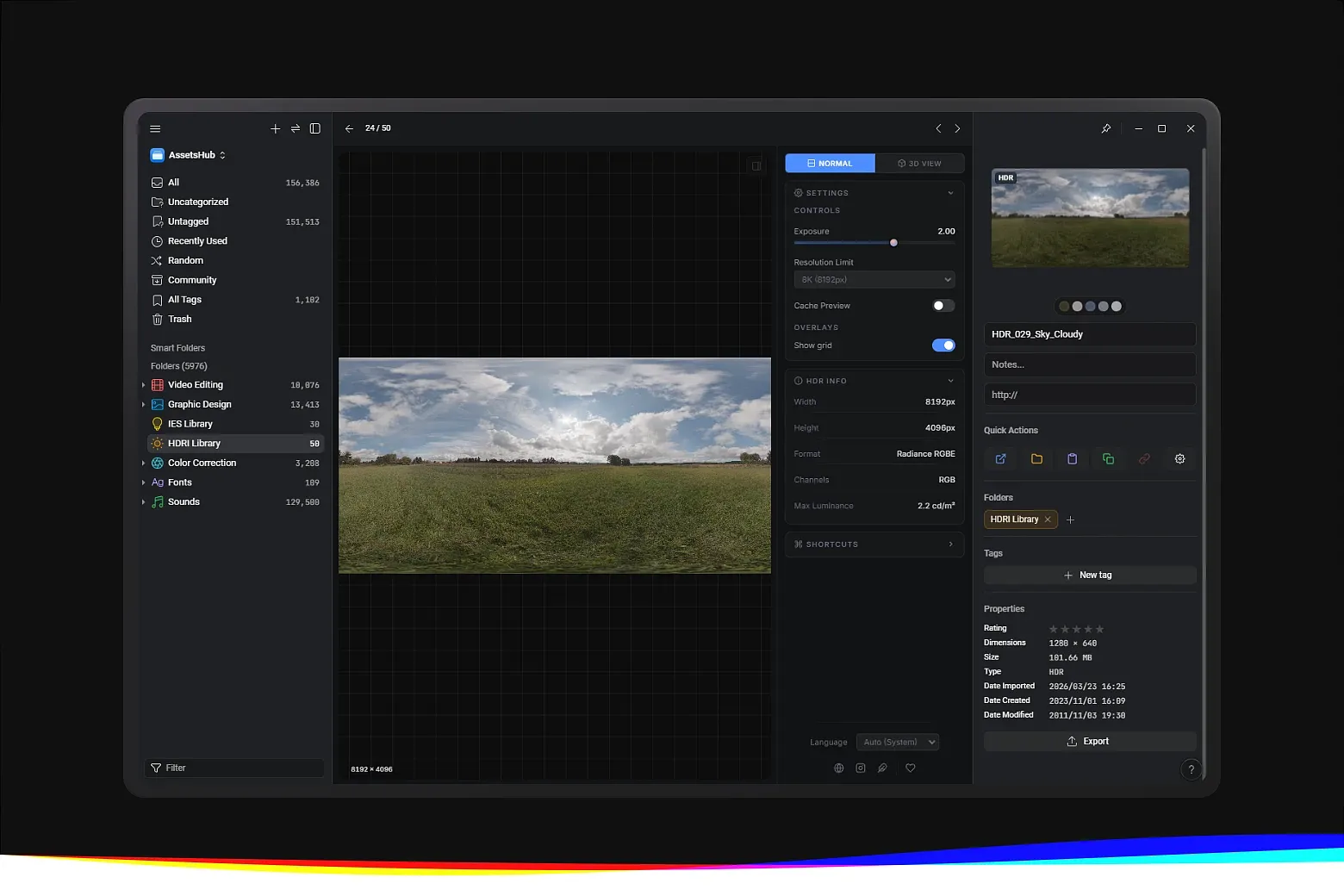
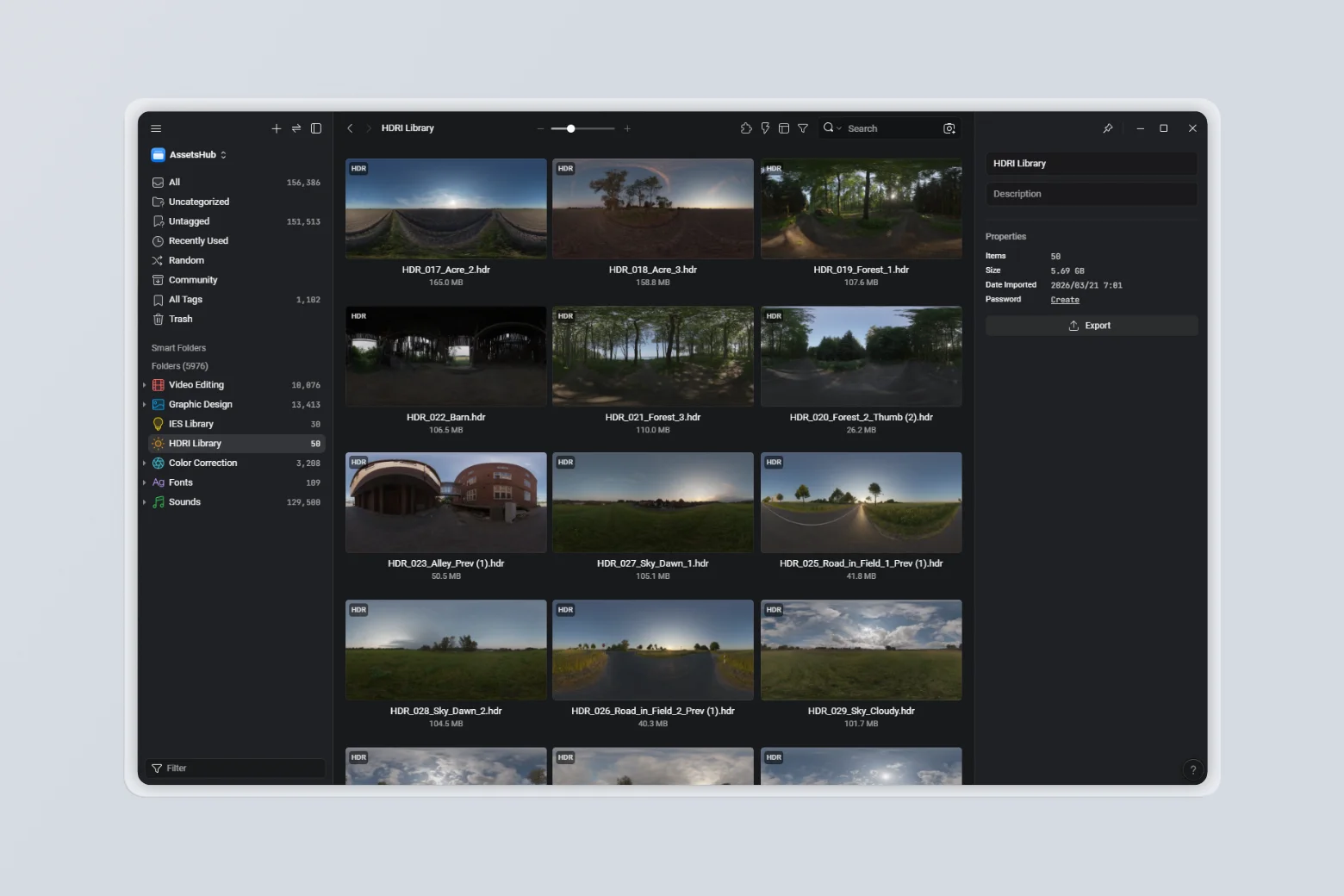
HDRI Format Extension provides professional HDR and EXR environment map preview directly within Eagle. It allows working with .hdr and .exr files, streamlining workflows for 3D artists, lighting artists, and environment designers.
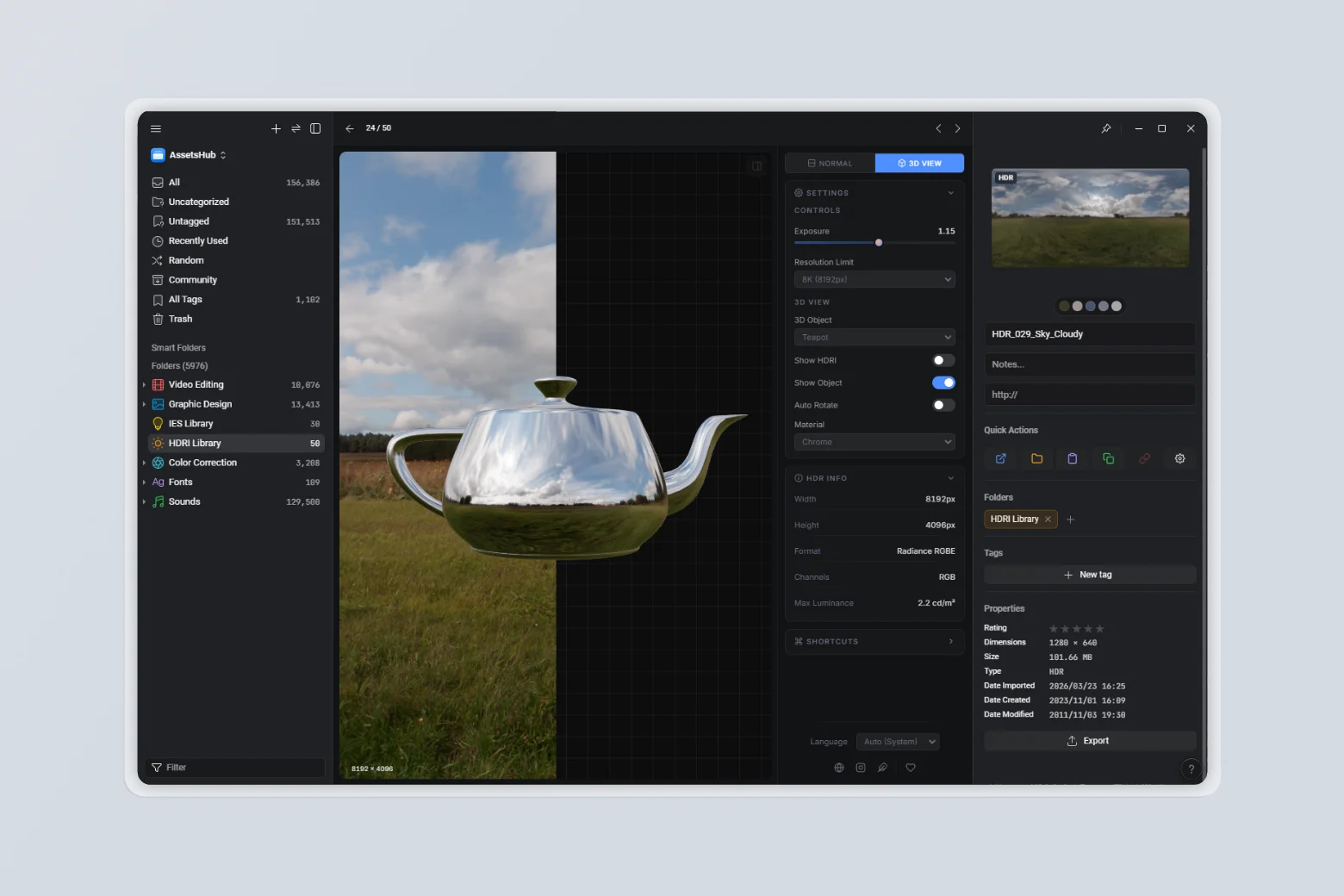
Key Features
- Dual Format Support – Preview both
.hdr(Radiance RGBE) and.exr(OpenEXR) files directly in your library - 2D Preview with Tone Mapping – Real-time Reinhard tone mapping with adjustable exposure for accurate HDR visualization
- Resolution Limit Control – Choose preview resolution (1K, 2K, 4K, 8K) to balance quality and performance
- 3D Viewer – Interactive 3D scene using the HDRI as an environment light and background, with orbit controls
- Multiple 3D Objects – Test your HDRI on a Sphere, Teapot, Torus, or Torus Knot
- Material Presets – Evaluate lighting with Plastic (custom color + clearcoat), Chrome, Glass (adjustable IOR), and Metal (Steel, Gold, Copper) materials
- Show HDRI Background – Toggle the HDRI as the scene background
- Auto-Rotate – Spin the object automatically to inspect lighting from all angles
- Cache Preview – Persist rendered previews to speed up revisiting files
- HDR Info Panel – Displays width, height, format, channels, and max luminance for each file
- Automatic Thumbnail Generation – Generates tone-mapped PNG thumbnails up to 1280px with GPU acceleration, ensuring fast previews even for large HDR images, with no external dependencies
- Theme Matching Eagle – Adapts to Eagle's selected theme (Dark, Gray, Blue, Purple, Light, Light Gray) for comfortable viewing
- Multi-language Support – Available in 13 languages
How It Works
- Install the HDRI Format Extension in Eagle
- Add your
.hdror.exrfiles to your library - Select any file to preview: adjust exposure with the slider or ↑/↓ keys, and control the resolution limit
- Switch to 3D Viewer to evaluate lighting on a 3D object, choose a shape, pick a material, and orbit freely
- Toggle the HDRI background, auto-rotation, and object visibility to inspect the environment map from every angle
- To update thumbnails, right-click one or more items, choose More → Refresh Thumbnail, or use
Ctrl + Alt + R
v1.0.1
2026-05-04
[Update] Updated the HDRI viewer to a modern Three.js architecture, aligning the runtime with the extension’s rendering pipeline
[Add] Added right-click rotation support in the HDRI 3D view
[Add] Added zoom and pan support to the standard preview with consistent interaction behavior
v1.0.0
2026-03-17
- Initial preview release
You may also like