Combine Images
Combine multiple images in one click — with live preview, drag-and-drop reordering, and broad format support.
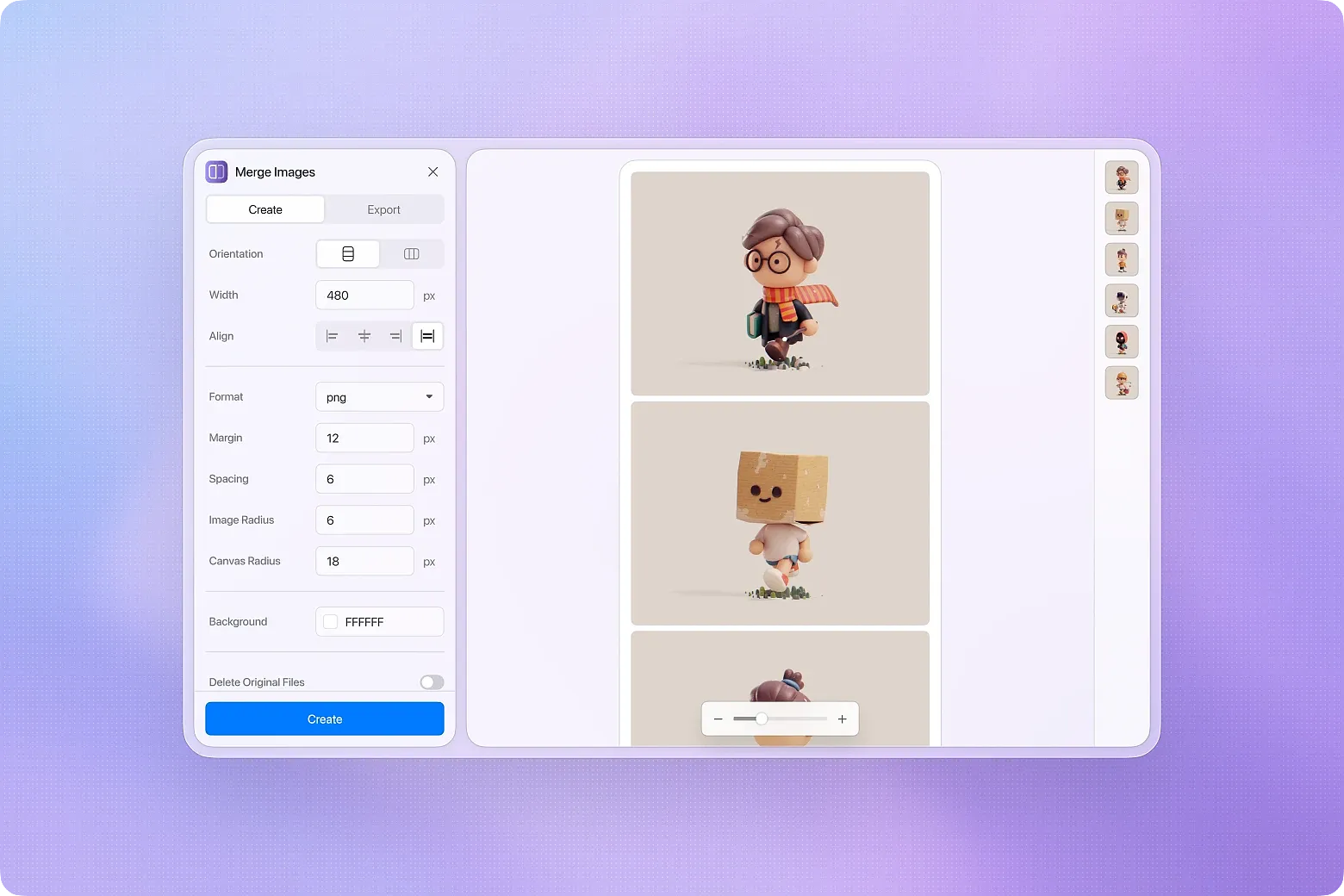
Quickly combine multiple images into one, from import to layout to export — all in a single step. Supports 16 input formats and 5 output formats. Whether it's everyday screenshots, design mockups, or formats like HEIC, AVIF, TIFF, and SVG, everything works directly without pre-conversion.
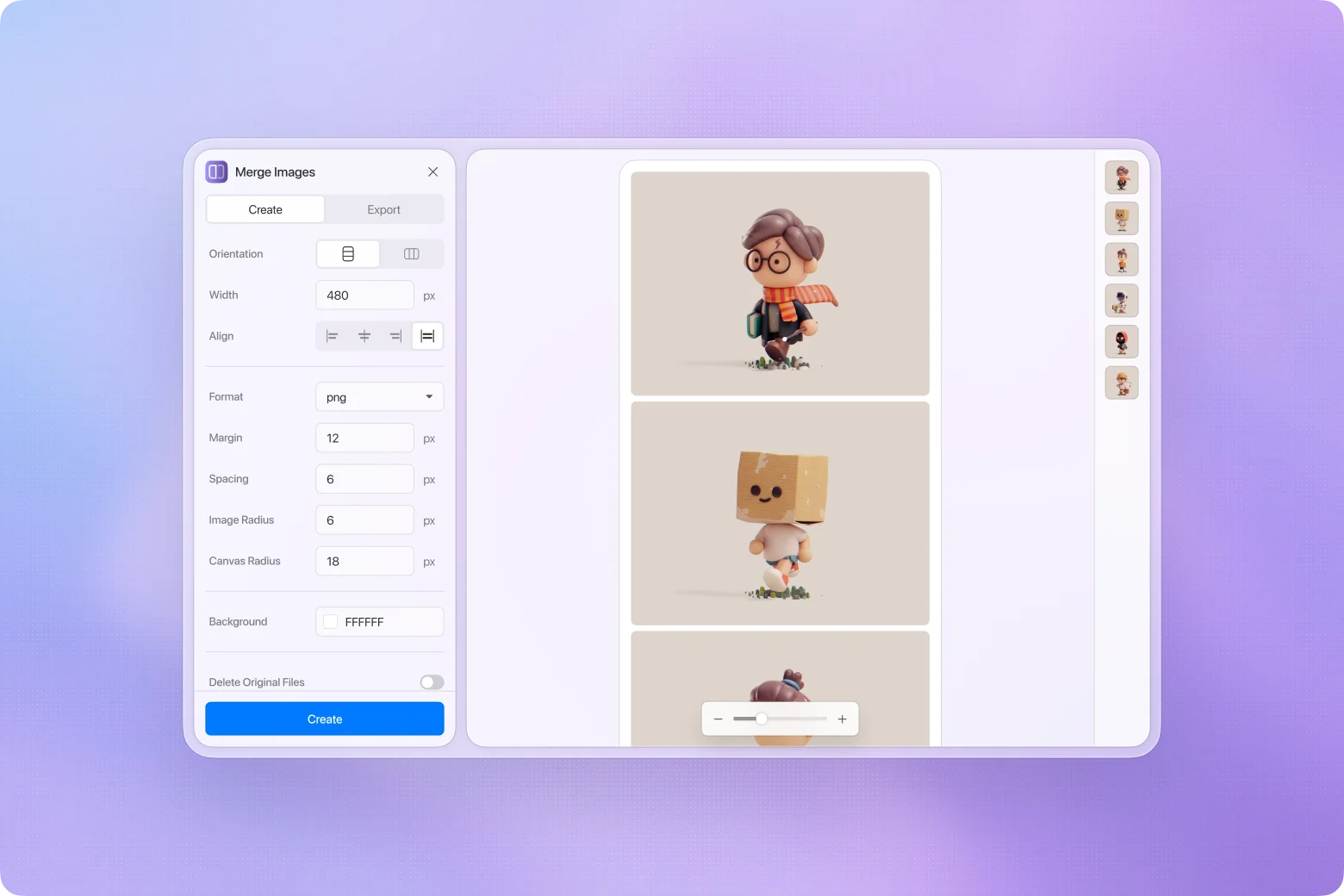
Live preview, adjust as you go
Every change is reflected on the canvas instantly. Zoom and pan to check details — spacing, alignment, background — what you see is what you get.
Drag-and-drop reordering
Image order is no longer tied to file selection order. Just drag images in the panel to rearrange them, and the preview updates in real time.
Wide format support, no conversion needed
Beyond JPG and PNG, the tool supports HEIC, JXL, SVG, TGA, TIFF, EXR, HDR, AVIF, and more — 16 input formats in total. Output to JPG, PNG, WebP, AVIF, or BMP, with adjustable quality.
Fine-grained layout control
More than just placing images side by side — you have full control over the final look:
- Layout direction: Vertical stack or horizontal row
- Alignment: Start, center, end, or stretch
- Spacing: Independent margin and padding settings
- Border radius: Separate controls for image and canvas corners
- Background color: Custom canvas background
- [Fixed] Prevented original images from being deleted when creating the merged image in Eagle fails
- [Fixed] Wait for Eagle import completion before removing temporary files to avoid broken or missing merged images
- [Fixed] Added failure notifications for merge or Eagle import errors
- [Added] Automatically locate the newly created image and close the window after merging
- [Added] Preserve source image metadata such as tags, annotations, folders, and URL when merging images
- [Fixed] Newly created merged images are now placed near the source images instead of at the newest import position
- [Fixed] Fixed an issue where the new merged image might not appear in the source folder when “delete original images” is enabled
- [Fixed] Auto size calculation now correctly preserves smaller dimensions previously adjusted by the user
- [Fixed] Prevented invalid remembered dimensions from being reused when switching auto size related settings
- Added RGBA color picker, replacing the plain color input for more intuitive background color and opacity selection
- Preview area now shows a checkerboard pattern for transparent backgrounds
- Formats that don't support transparency (e.g. JPG) now automatically ignore transparent background settings
- Canvas border radius only applies when background is transparent
- Slider now uses non-linear scaling (similar to Photoshop), improving precision in the commonly used 5%–100% range
- Window now supports maximize and minimize; minimum width reduced from 960px to 800px
- Replaced file overwrite confirmation dialog with native system save dialog
- Reorganized settings panel grouping: Layout → Size & Spacing → Appearance → Export Format
- Various bug fixes
Updated plugin logo
Fixed an issue where certain JPEG images could not be previewed or merged, resulting in decode failures. This is a known Chromium GPU decoding
bug, now resolved by adding a CPU rendering fallback.
Initial Release
You may also like